
The conversation usually starts the same way.
A merchant — often one who's been on a page builder for a year or two and has been happy with it — comes to us with a specific feature request. Something they need on their product page. Something their developer, or the builder's support team, has told them isn't possible in the current setup.
That's the customisation wall. And it's not a corner case — it's a predictable outcome of how page builders are built.
Why the Wall Exists
Page builders are designed around a block catalogue. Pre-built components with configurable settings, designed to cover the most common needs of the most merchants. Within that model, they're fast and genuinely useful.
The hard boundary is this: you can only configure what the builder has built as a setting. The moment a requirement falls outside the catalogue, the builder has no native path to it. And the requirements that fall outside it are often exactly the ones that drive real conversion results.
What We Hear Most Often
Across client projects, these are the features that hit the wall most frequently:
- Pack selectors with dynamic pricing — buy 1 for $X, buy 3 for $Y, buy 6 for $Z, with the add-to-cart quantity updating based on selection. Drives AOV meaningfully. Impossible to build cleanly inside most builders.
- Image-based swatch systems — swatches that show actual product photography instead of colour circles. Standard in premium DTC. rarely available cleanly without custom work.
- Variant-conditional content — different descriptions, size guides, or badges depending on which variant is selected. Simple logic, significant conversion impact. The builder's content blocks don't respond to variant state.
- Sticky bars with live variant data — a sticky add-to-cart bar that shows the selected variant name and price dynamically. The builder's sticky elements are usually static.
- Bundle builders with conditional logic — add-to-cart flows that depend on a specific combination of selections. Required by most brands selling configurable products.
None of these are exotic. They're the table stakes of a high-converting product page on a DTC brand with any ambition.
What the Workaround Costs You
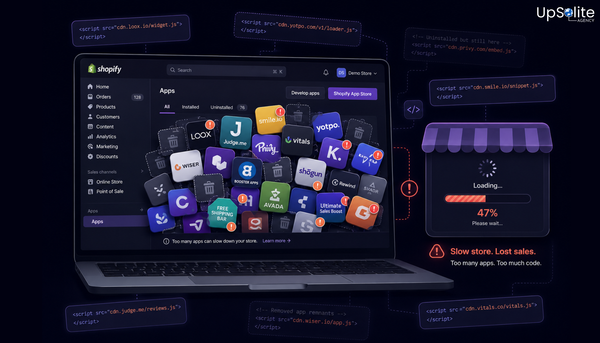
When the builder can't do it, the workaround is always injected JavaScript — custom code dropped into a “custom HTML” block or a Liquid snippet running alongside the builder output. It technically works. Temporarily.
What we've taken over from previous developers:
- Three separate injected scripts handling swatch behaviour, each added when the previous one stopped working after a builder update
- A bundle selector that broke every time the builder released an update and required a developer call to patch
- A sticky bar built in a separate conflicting app because the builder's own sticky element couldn't show variant data
In one case, the ongoing maintenance cost of keeping these workarounds alive had exceeded what a clean native rebuild would have cost — before accounting for the performance overhead each injected script was adding to the page.
That overhead has a direct cost too. Every workaround adds weight to a page that's already carrying the builder's own scripts. We cover what that adds up to in: The Real Cost of Using a Page Builder on Shopify.
What We Build Instead
When we rebuild a product page as native Shopify sections, the ceiling disappears. Pack selectors, dynamic pricing displays, conditional content, image swatches, bundle logic — all of it is built directly into the section's Liquid and JavaScript. It does exactly what the store needs. It doesn't depend on a third-party block catalogue.
The section lives in the theme. It's editor-friendly — merchants can still update content and toggle elements without code. The difference is that the functionality isn't constrained by what a block system offers. It's constrained by what can be built, which is a significantly higher ceiling.
And because it's native code, there's no third-party update that can break it.
Signs You've Hit the Wall
- ✅ A feature you've wanted for more than six months that keeps being quoted as “not possible in the builder”
- ✅ Injected JavaScript running alongside your page builder output
- ✅ A developer patching something on your PDP after every major builder update
- ✅ A second or third app installed to cover something the builder doesn't do natively
- ✅ Your PDP looks and functions almost identically to how it did a year ago — not by choice
For the Full Context
The customisation wall is one reason merchants move away from builders. SEO and Speed are two others. For the complete picture of what's at stake and how native sections compare: Page Builder vs Native Shopify: Why Your Product Page Deserves Better.
🔥 Been Told It's Not Possible?
If there's a feature you've needed on your product page that keeps hitting a wall — it's probably not impossible. It's just not possible inside a block system.
We build what you actually need. Get in touch and tell us what it is — we'll tell you how we'd build it.