
The average Shopify store runs 6–10 apps at any given time. Some stores we audit have 20 or more. Every one of those apps was installed to solve a real problem. The issue isn’t any individual app — it’s what they add up to: overlapping scripts, redundant functionality, orphaned code from uninstalls, and a storefront that loads more slowly than it needs to.
This isn’t “apps are bad.” It’s about knowing which ones you actually have, what each one is doing to your store performance, and whether each one is earning its place. Most merchants don’t have a clear picture of this — and they’re usually surprised when they look.
How to Audit Your Current App List
Start in Shopify Admin → Apps. That list shows you what’s installed, but it’s not the full story. Many apps inject JavaScript into your theme that persists even after you uninstall them. The installed apps list and what’s actually loading on your storefront are often different things.
What’s Actually Loading: Browser DevTools
Open your storefront in an incognito Chrome window. Press F12, go to the Network tab, filter by JS, and hard-reload the page. You’re looking at every script that loads on a typical product page visit.
Common findings:
- Scripts from apps uninstalled months ago, still loading because the code was never removed from the theme
- Multiple analytics or session-recording tools doing the same job simultaneously
- Third-party scripts loading synchronously and blocking your page from rendering
- Review widgets loading their own fonts, icons, and CDN resources on every page — not just product pages
The Network tab also shows your total request count. For a typical Shopify product page, 60–90 requests is normal. Over 150 is a signal to investigate. Each request is a DNS lookup, a connection, a round trip — and they compound.
Finding Orphaned App Code
When you uninstall a Shopify app, Shopify removes its access token and permissions. It does not automatically remove code the app added to your theme. That code keeps loading on every page visit, making requests to third-party servers that no longer respond with anything useful.
To find it:
- Go to Online Store → Themes → Edit code
- Search your theme files for the names of apps you’ve uninstalled
- Check
layout/theme.liquidfor<script>tags referencing external domains you don’t recognise - Look in the Assets folder for JavaScript files with unfamiliar names
- In Shopify 2.0 themes, check your JSON templates for app blocks referencing removed apps
Anything you can’t identify has a cost: a DNS lookup, a connection attempt, and a potential render-blocking delay while the browser waits for a response.
The Speed Impact — Without the Made-Up Numbers
You’ll find articles claiming “each app adds X seconds to load time.” Those numbers aren’t real — the actual impact depends entirely on how each script loads, what it does, and the visitor’s connection. Don’t trust specific figures you see quoted.
What is real:
- Each third-party script adds at minimum one DNS lookup and one HTTP request
- Scripts that load synchronously block the browser from rendering anything below them until they’ve fully downloaded and executed
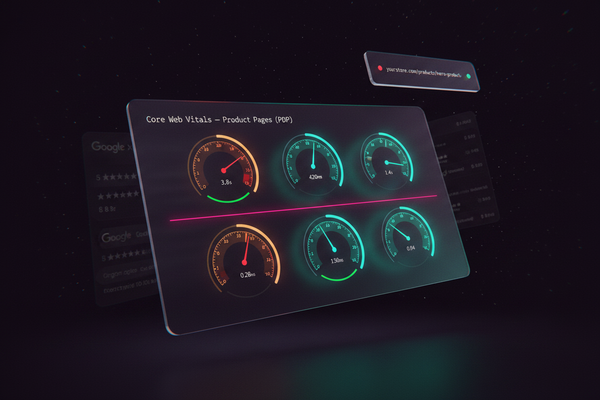
- Synchronous scripts directly affect Largest Contentful Paint (LCP) — the Core Web Vital Google uses in its ranking signals
- Multiple tools each loading their own fonts, icon sets, and API calls compound quickly — often without lazy-loading, on every page
The combined effect is not additive — it compounds. You’re not just adding 15 scripts. You’re adding everything those scripts depend on, every image they reference, every API call they make in the background. A store with 18 apps rarely has 18 scripts. It often has 40–60.
A Decision Framework: Keep, Replace, or Remove
For each app in your installed list, work through these three questions:
| Question | If yes | If no |
|---|---|---|
| Does this solve a problem that Shopify’s native features or my theme can’t handle? | Keep evaluating | Remove — you’re paying for something you already have |
| Has this been actively used by customers or our team in the last 30 days? | Keep evaluating | Remove — unused apps still load scripts on every page visit |
| Would removing this immediately break a live customer flow or active promotion? | Keep it — plan a replacement before removing | Remove or replace on your schedule |
Apply this to your full app list. You’ll usually find 3–5 apps that can be removed immediately and 2–3 that are duplicating functionality you already have elsewhere.
Categories Worth Replacing With Native or Custom Logic
Customer Access and Account Gating
Many stores use a third-party app to lock pages, products, or collections to specific customer groups — wholesale accounts, B2B customers, members-only content. Shopify has native customer account tags, metafields, and Liquid conditionals that handle most of these cases without a client-side app. What a JavaScript-based app evaluates in the browser after page load, a properly-structured theme evaluates at render time — with no visible delay and no extra script.
Bundle and Offer Logic
“Buy 3, get 1 free” and product bundle apps are among the heaviest on checkout performance. Shopify Functions — available on all Shopify plans — handle discount logic, bundle pricing, and cart rules natively within Shopify’s infrastructure. No script injection. No checkout redirect. The logic runs server-side before the page is delivered.
Pop-ups and Email Capture
Klaviyo, Omnisend, and similar email platforms already include pop-up builders within the same script they load for email tracking. Installing a separate pop-up app adds another request for zero additional functionality. If you’re already loading Klaviyo, use Klaviyo’s pop-up tool.
Simple Redirects and Conditional Logic
If you have an app installed solely to redirect customers based on country, device type, or customer tag — this is standard Liquid and server-side logic territory. A developer can implement this directly in your theme in a few hours. You pay once instead of monthly, it runs at page render rather than client-side, and it’s one fewer script on every page load.
What We See When We Audit Shopify Stores
At UpSolite, the stores with the best performance metrics share one pattern: someone has made a deliberate decision about every app. Not “minimal apps” as a philosophy, but a regular audit habit — reviewing the list quarterly, measuring what’s actually loading, and removing anything that’s not earning its place.
If you want to run a proper audit on your store — especially if you’re on Shopify Plus and some of that logic could move to Shopify Functions or native features — we can take a look. We’ll tell you what’s worth keeping, what’s replaceable, and what’s silently loading on every page for no reason.