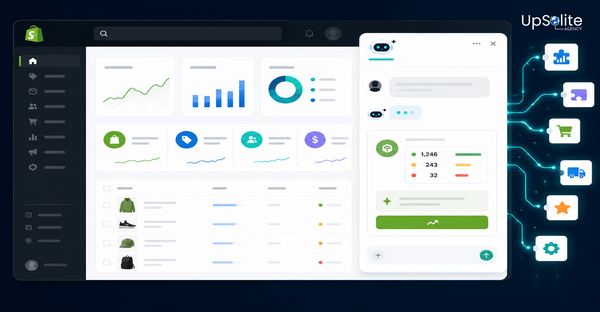

Shopify’s Sidekick AI can now generate working custom app code from a plain language description. That’s a meaningful capability, and the question worth asking honestly is: what does it actually produce, and when is that output good enough to use?
We tested it. Here’s what happened.
What Shopify Claims Sidekick Can Do
Shopify positions Sidekick’s app generation feature as a way for merchants to build simple internal tools without starting a traditional development project. The pitch is: describe what you want in plain language, and Sidekick generates the app.
Use cases Shopify highlights include bulk product tag updaters, reorder reminder tools, internal reporting utilities, and simple task trackers — the kind of single-purpose operational tools that a business needs but that rarely justify a full custom app engagement.
One thing to know before you plan around this feature: it’s only available on Grow, Advanced, and Shopify Plus plans. Basic plan merchants don’t have access yet.
What We Tested
We ran a straightforward test: a bulk product tag updater. The requirement was simple — a tool that lets a merchant select multiple products and add or remove tags in bulk, rather than doing it one product at a time in the Shopify admin.
We chose this because it’s exactly the kind of operational utility Shopify’s marketing describes — simple, internal, admin-facing, no customer data, no complex business logic.
What Sidekick Produced
The generated app handled the core requirement well. It created a functional interface for selecting products and applying bulk tag changes. The basic admin API calls were correct. The UI was minimal but usable.
For our test case, the output was a solid starting point:
- ✅ Basic UI rendered correctly in the Shopify admin
- ✅ Admin API calls used correct GraphQL mutations
- ✅ Core tag update logic worked for straightforward use
- ✅ Generated code was readable and structured logically
With minor adjustments — around 30–60 minutes of a developer’s time to review, test, and clean up edge cases — the app was functional for internal use. For that specific, simple use case, Sidekick did what it claimed.
Where It Broke Down
As soon as we added requirements beyond the basic case, the limitations became clear:
- Large catalogues. The generated code didn’t handle pagination for product lists above a few hundred items. On a store with 5,000+ products, the selector would have timed out or returned incomplete results. This is a correctness issue that requires developer intervention — it’s not a configuration problem.
- Error handling. Failed API calls weren’t handled gracefully. No retry logic, no user-facing error state, no indication of which products failed if the bulk operation partially succeeded.
- Security and permissions. The generated app requested broader admin scopes than the operation required. A developer reviewing for production use would narrow those permissions — but without that review, the app ships with unnecessary access.
- Edge cases. Products with special characters in tags, products in certain publication states, and variant-level tag differences weren’t handled. These are the things that cause silent failures in production.
Sidekick App vs Custom App — What Each Is For
| Sidekick-Generated App | Custom-Built App |
|---|---|
| Simple internal workflow tools | Complex business logic |
| Rapid prototype or proof of concept | Production-ready application |
| Single-purpose admin utilities | Multi-system integrations |
| Low-stakes internal use | Customer-facing functionality |
| Good starting point for a developer to extend | Long-term scalable solution |
The framing that works: Sidekick generates a draft. A developer reviews, fixes edge cases, tightens permissions, adds error handling, and decides whether it’s appropriate for production. For simple internal tools with low risk, that process is fast. For anything customer-facing, business-critical, or touching sensitive data, custom development is the right path.
When Sidekick App Generation Is Worth Using
It’s genuinely useful when all of the following are true:
- ✅ The tool is for internal use only — no customers interact with it
- ✅ The requirement is simple and single-purpose
- ✅ A developer will review the output before it’s used in production
- ✅ The stakes of a failure are low — no financial transactions, no customer data
- ✅ You’re on a Grow, Advanced, or Plus plan
If those conditions are met, Sidekick can save meaningful development time on the kind of small utility tools that would otherwise sit in a backlog indefinitely.
When You Still Need Custom Development
Any app that handles customer data, connects to external systems, processes transactions, or becomes part of daily operations for a team of more than a few people should be custom built. The reasons are practical, not ideological:
- Generated code isn’t tested against your specific store’s data at scale
- Error handling and edge cases require understanding your business context
- Security review needs a developer who can assess actual risk, not just what the AI scoped
- Ongoing maintenance needs someone who understands what was built and why
These aren’t limitations that Shopify will fix with a better AI model. They’re inherent to the difference between generated code and engineered software.
Need a Shopify App Built Properly?
Whether you want to explore what Sidekick can generate for a simple internal tool, or you need a custom Shopify app built for production use, we can help you decide which path makes sense and execute it correctly. Get in touch with what you’re trying to build — we’ll give you a straight answer on the right approach.