
AI coding tools have moved from novelty to daily workflow faster than most people expected. Cursor, GitHub Copilot, and Claude Code are now part of how a lot of Shopify development gets done — including how we work. The honest answer to whether they’re useful isn’t a blanket yes or no. It depends on what you’re asking them to do.
Shopify’s Dev MCP (Model Context Protocol) changes the equation meaningfully, because it gives AI assistants access to live Shopify documentation and store context instead of relying on training data that may be months or years out of date. That’s a real difference in the quality of output you get.
What Shopify Dev MCP Actually Is
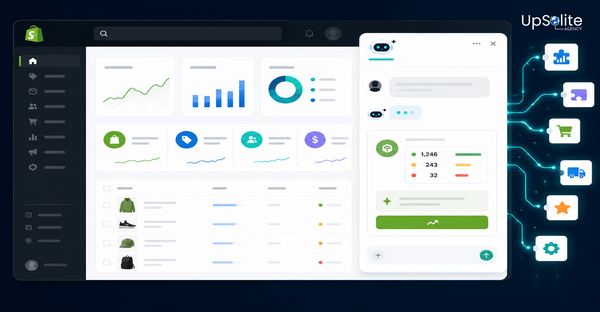
Dev MCP is Shopify’s integration layer for AI coding assistants. When you connect a compatible tool — Claude Code, Cursor with MCP support — to Shopify’s Dev MCP, the AI gets access to:
- Live Shopify documentation — current API references, Liquid object documentation, and Shopify Functions specs, not a cached version from training data
- Store context — the AI can query your actual store’s metafield definitions, theme structure, and admin data to write code that’s specific to your setup
- Admin tools — the ability to perform admin actions directly through the AI interface, within defined permissions
The practical effect is that when you ask an AI assistant with Dev MCP access to write a GraphQL query for a specific API version, it’s working from the actual current schema — not guessing based on training data from a version that may have changed. For a platform that updates as frequently as Shopify, that matters.
Where AI Tools Are Genuinely Useful in Shopify Development
We use AI coding tools on client projects. These are the areas where they actually save meaningful time:
- GraphQL query writing — Shopify’s Admin API uses GraphQL, and query syntax is verbose. AI tools with Dev MCP access write accurate queries with correct field names for the current API version. What used to mean checking documentation constantly is now a first draft that’s usually close to correct.
- Liquid section boilerplate — the structure of a Shopify section — schema JSON, section and block settings, rendering logic — is repetitive. AI generates solid first drafts of sections, especially for common patterns like metafield display, image-text blocks, and product grids.
- Shopify Functions scaffolding — Functions have a specific structure (input query, Wasm output, run function). AI tools familiar with the Functions API generate correct scaffolding faster than writing it from scratch.
- Liquid syntax validation — catching tag mismatches, filter syntax errors, and object property references before they cause problems on a live store. AI is better than manual review for catching simple Liquid mistakes quickly.
- Admin API permissions debugging — checking whether a request requires specific access scopes, and which scopes are needed for a given operation.
- Explaining unfamiliar APIs — when working with a Shopify API we haven’t used recently, asking the AI to explain the data model and walk through an example is faster than reading documentation from scratch.
Where AI Tools Fall Short
AI coding tools are fast at producing code. They’re not good at understanding why a particular architectural decision is right for a specific store. These are the areas where developer judgement still does the work:
- Theme architecture decisions — whether to put logic in a section, a snippet, or a block; how to structure settings for merchant usability; where to draw the line between what’s configurable and what’s hardcoded. AI produces working code. It doesn’t produce well-architected code without direction.
- Performance tradeoffs — an AI tool will generate a Liquid loop that works. It won’t tell you whether that loop is going to cause layout shift or increase Time to First Byte on a high-traffic collection page.
- App and integration architecture — decisions about webhook handling, data sync strategies, rate limit management, and fault tolerance in Shopify app development require understanding the system under load. AI generates the pieces; a developer designs how they fit together.
- Client-specific requirements — the business logic unique to a specific merchant — their fulfilment rules, their pricing logic, their customer segment behaviour — isn’t in any training data. AI can implement what you describe clearly, but it can’t derive requirements it hasn’t been told.
How We Actually Use It
In practice, AI coding tools sit in our workflow as a layer between documentation and implementation. For a typical Shopify project, we use them for:
- First-draft GraphQL queries that get reviewed and refined
- Section schema generation for standard patterns
- Functions boilerplate that gets completed with actual business logic
- Liquid validation before committing changes to a theme
- Quick API reference when working in an unfamiliar part of Shopify’s platform
What we don’t use them for is architectural decisions, performance-sensitive code that needs careful review, or anything that touches a merchant’s live store without manual testing. The tool generates a draft. A developer reviews and ships it.
That balance — AI for repetitive generation, developer for judgement — is where the actual productivity gain sits.
Should You Use Dev MCP If You’re Building on Shopify?
If you’re a developer actively building on Shopify — themes, apps, Functions — yes. The live documentation access alone is worth the setup. The difference between an AI working from current Shopify API docs versus training data from 18 months ago is significant on a platform that releases changes as frequently as Shopify does.
The setup requires a compatible AI tool and following Shopify’s Dev MCP configuration steps. It’s not a one-click install, but it’s not a long process either.
If you’re a merchant who doesn’t write code, Dev MCP isn’t directly relevant to your workflow — but knowing your development agency uses it means faster, more accurate work on your store.
Building Something on Shopify?
We use the best available tools — including AI-assisted development where it genuinely speeds things up — on every client project. Get in touch and tell us what you’re building. We’ll tell you what it takes and how we approach it.